

array input
This block is part of the Component UI group and was last modified in core v10.6.2.
Fields Selection Required
This block relies on fields that you selected to perform its data actions. You must manually select the fields you want to use in your flow using the fields selector modal. To access the modal, click the white button on the block.
array input v10.6.2 Generates rows with inputs based on the selected fields from an array
In pins 14
- Array field required
fielddefinitionsField to save the value in
- Row render
v10.6.2inpinfunction - Disabled
conditionDisables all the inputs at once
- Hide Label
v10.4.51conditionHides the label
- Hide Remove
conditionHides the remove button
- Hide Add
conditionHides the add button
- Class: Row
uiclass - Style: Row
uistyle - Class: Label
uiclass - Style: Label
uistyle - Class: Input column
uiclass - Style: Input column
uistyle - Class: Input
uiclass - Style: Input
uistyle
Out pins 1
- uicomponent
uicomponent
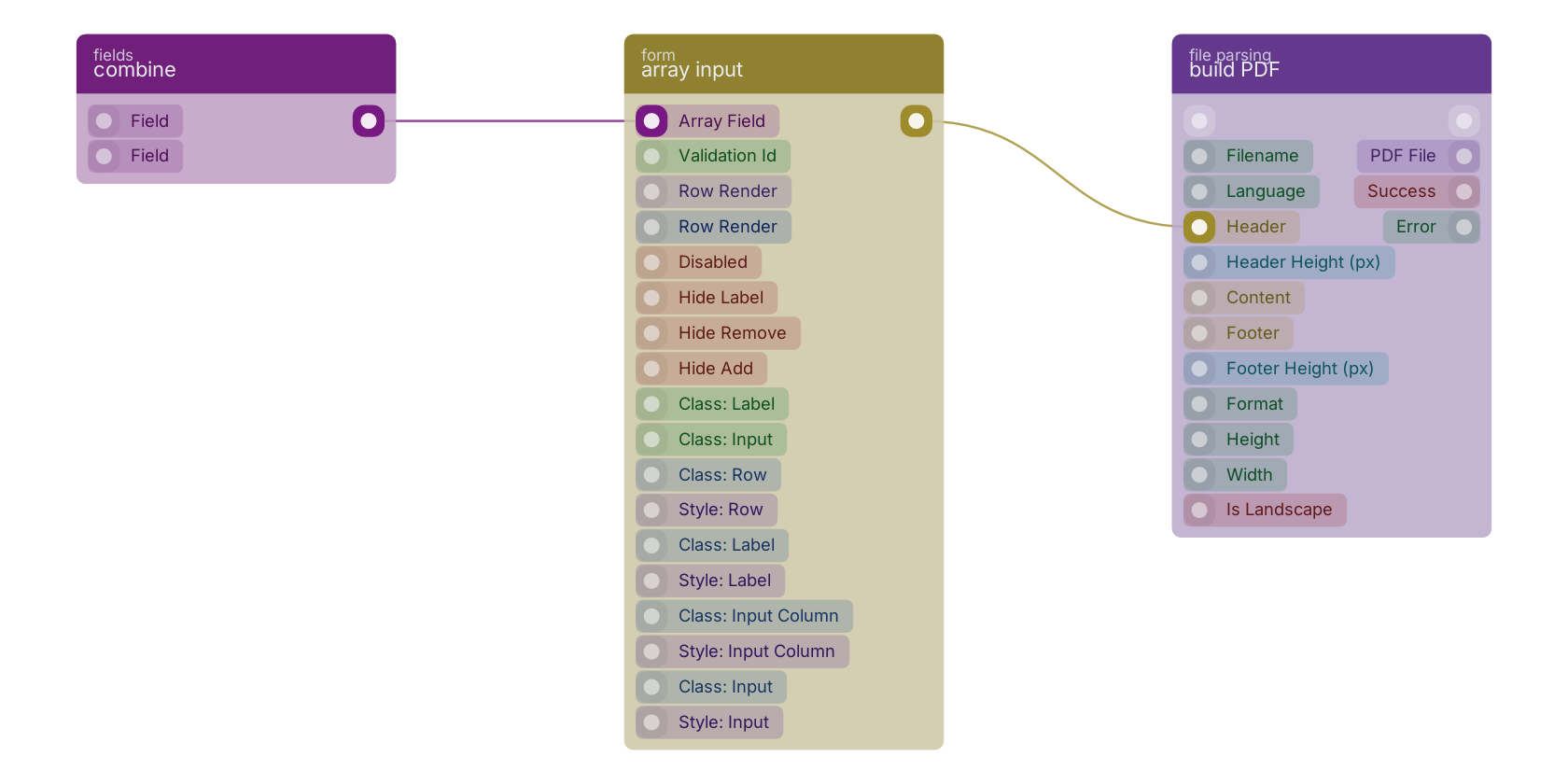
A typical wiring for array input: combine feeds the co-fields pin; the uicomponent out pin feeds build PDF.
Version history
Introduced in v10.6.2.
v10.4.51, click here to see the release notes. Back to
Component UI Return to the main group to view all sub-groups Back to form Return to the group to view all blocks within this group